
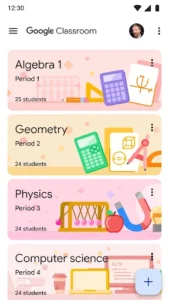
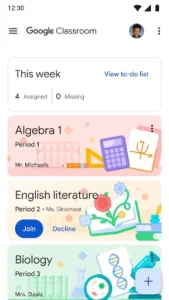
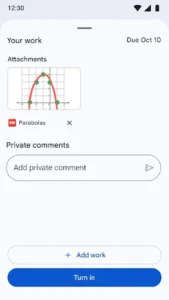
Google Classroom serves as a digital hub designed to streamline interaction and organization for both learners and instructors, facilitating educational activities whether in a traditional classroom setting or remotely. It aims to simplify the entire teaching and learning process by providing a paperless workflow for assignments, from creation and distribution to review and grading, all within a unified environment. A key aspect of its design is the automatic organization of class materials like documents, photos, and videos into dedicated folders within Google Drive, ensuring that all resources are easily accessible and neatly categorized for students.
Managing Assignments Digitally
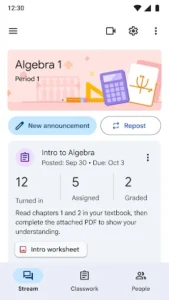
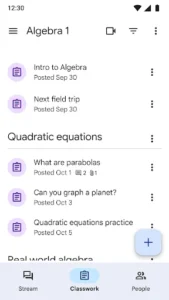
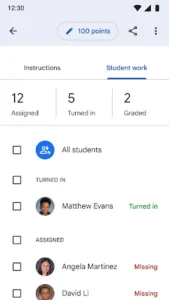
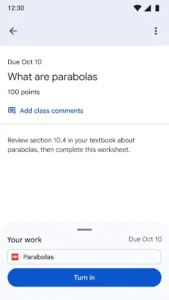
This app provides a straightforward, paperless system for managing assignments. Instructors can quickly create and distribute tasks to their classes, and the platform centralizes the process for reviewing and marking submissions. Students benefit from a dedicated assignments page where they can view all their pending and completed work, helping them stay on track with their coursework. Setting up a class is designed to be efficient, allowing teachers to add students directly or by sharing a unique code for joining.
Centralized Class Materials
To improve organization, Classroom automatically files all class materials into folders within Google Drive. This includes various content types such as documents, photos, and videos shared within the class. This automated filing system ensures that both students and instructors can easily locate and access relevant resources without manual sorting, contributing to a more organized learning environment.
Facilitating Classroom Communication
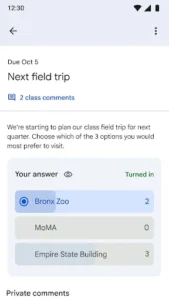
The app enhances communication between instructors and learners. Teachers can promptly send out announcements to their entire class or initiate discussions on specific topics. Students also have the ability to engage with their peers by sharing resources or providing answers to questions directly within the class stream, fostering a collaborative learning atmosphere.
Supported Media and File Attachments
Classroom supports various types of content and attachments to enrich learning materials and assignment submissions. Users can take photos or record videos directly within the app using their device’s camera, which can then be posted to Classroom. Additionally, it allows for the attachment of existing photos, videos, and other local files from device storage. This functionality also enables offline support, allowing users to access and work with certain materials even without an active internet connection.
Privacy and Data Security
As part of the Google Workspace for Education services, Classroom is designed with privacy in mind. The app contains no advertisements and explicitly states that it never uses user content or student data for advertising purposes. This commitment aims to provide a secure and focused environment for educational activities.










Write a review